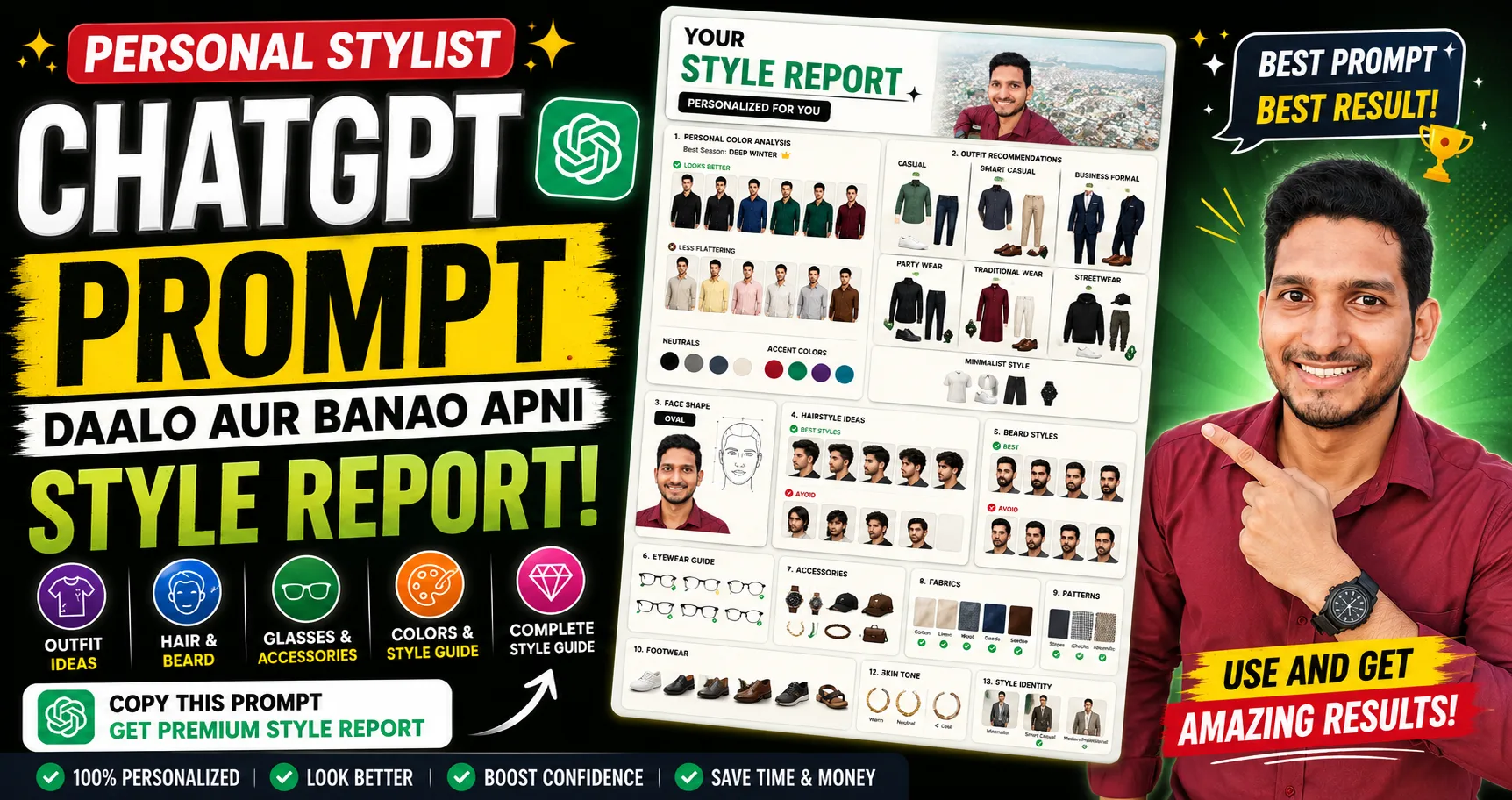
Transforming your fashion sense no longer requires hiring an expensive personal stylist or image consultant. By leveraging ChatGPT's vision capabilities combined with a tailored system prompt, you can generate an extensive, highly visual personal style report in minutes.
How to Generate Your Style Report
Step 1: Upload a Clear Portrait
Select a high-quality, well-lit photo of your face looking straight into the camera with neutral lighting.
Select a high-quality, well-lit photo of your face looking straight into the camera with neutral lighting.
Step 2: Copy the Stylist Prompt
Copy the master prompt provided below.
Copy the master prompt provided below.
Step 3: Submit to ChatGPT
Attach your picture in ChatGPT (GPT-4o or latest model) and paste the prompt to receive a comprehensive visual analysis.
Attach your picture in ChatGPT (GPT-4o or latest model) and paste the prompt to receive a comprehensive visual analysis.
Copy the Personal Stylist ChatGPT Prompt
Use the copy button below to grab the exact structured prompt to instruct ChatGPT to act as your fashion advisor, color analyst, and face shape expert.
Master Style Prompt
Prompt - Personal Stylist ChatGPT
Act as a professional Image Consultant, Personal Stylist, Color Analyst, Fashion Advisor, and Face Shape Expert.
Analyze the uploaded portrait and create a premium infographic-style personal style report.
Prioritize VISUALS over TEXT.
Keep text extremely minimal.
Use diagrams, comparison cards, icons, color swatches, side-by-side examples, arrows, checkmarks, and labeled illustrations instead of paragraphs.

The report should include:

## 1. Personal Color Analysis
• Determine the most suitable color season (Spring, Summer, Autumn, Winter) if possible.
• Show the top colors that complement the face.
• Show colors to avoid.
• Display each color as clothing on a model instead of only using color squares.
• Compare "Looks Better" vs "Less Flattering."
• Include recommended neutrals.
• Include accent colors.
• Include best white and black shades.
• Include best denim colors.

## 2. Clothing Recommendations
Generate visual outfit suggestions for:
• Casual
• Smart Casual
• Business Formal
• Party Wear
• Traditional Wear (if culturally appropriate)
• Streetwear
• Minimalist Style
For every category, display:
Recommended colors
Recommended clothing combinations
Example outfit illustration
Avoid long descriptions.

## 3. Face Shape Analysis
Identify the face shape.
Show a labeled diagram.
Recommend:
• Neckline styles
• Collar styles
• Jacket types
• Shirt types
• Blazer cuts
• T-shirt fits
Display visually.

## 4. Hairstyle Recommendations
Generate examples of hairstyles that best suit the face.
Include:
• Short Hair
• Medium Hair
• Long Hair
• Fade Styles
• Textured Styles
• Side Part
• Slick Back
• Curly Options
• Beard combinations (if applicable)
Display each as small visual examples.
Mark:
✓ Best Choices
✗ Styles to Avoid

## 5. Eyewear Analysis
Recommend:
• Sunglasses
• Reading Glasses
• Optical Frames
Compare:
✓ Aviator
✓ Wayfarer
✓ Clubmaster
✓ Round
✓ Square
✓ Rectangle
✓ Oval
✓ Rimless
Highlight the best matches.

## 6. Beard & Facial Hair (if applicable)
Recommend:
• Clean Shave
• Light Stubble
• Medium Beard
• Full Beard
• Goatee
• Mustache Styles
Display visual comparisons.

## 7. Accessories
Suggest visually:
• Watches
• Caps
• Hats
• Chains
• Earrings (if suitable)
• Scarves
• Bags
Only show styles that complement the face.

## 8. Fabric Recommendations
Recommend visually:
✓ Cotton
✓ Linen
✓ Wool
✓ Denim
✓ Suede
✓ Leather
Show which textures suit the overall appearance.

## 9. Pattern Recommendations
Show examples of:
✓ Solid
✓ Vertical Stripes
✓ Horizontal Stripes
✓ Small Checks
✓ Large Checks
✓ Floral
✓ Geometric
Highlight the most flattering.

## 10. Footwear
Recommend visually:
• Sneakers
• Loafers
• Chelsea Boots
• Oxfords
• Running Shoes
• Sandals
Match them with outfits.

## 11. Jewelry (if suitable)
Suggest:
• Silver
• Gold
• Rose Gold
• Matte Black
Show which metal complements the skin tone.

## 12. Skin Tone Analysis
Estimate:
• Undertone
• Surface tone
• Contrast level
Display using visual charts instead of paragraphs.

## 13. Overall Style Identity
Determine the closest style category such as:
• Classic
• Minimalist
• Old Money
• Quiet Luxury
• Smart Casual
• Modern Professional
• Streetwear
• Athletic
• Creative
Display as illustrated cards.

## 14. Overall Glow-Up Scorecard
Create an infographic showing:
Current Style
Potential Style
Best Hair
Best Outfit
Best Colors
Best Glasses
Best Beard
Best Accessories
Use icons and ratings.

## 15. Quick Shopping Guide
Generate a visual shopping checklist with checkmarks.
Include:
Shirt Colors
T-shirt Colors
Blazer Colors
Pants Colors
Shoes
Sunglasses
Watches
Accessories
Avoid recommending unsuitable colors.

## Design Style
Create the report like a premium magazine or Pinterest fashion infographic.
Use:
• Clean white background
• Modern layout
• Minimal text
• Large visuals
• Clothing mockups
• Face diagrams
• Color palettes
• Before vs After comparisons
• Professional styling boards
• Fashion magazine aesthetic
Do not write long explanations.
The final result should feel like a luxury personal stylist report with approximately 90% visuals and only 10% text.
Key Features Analyzed in the Report
- Color Season Analysis: Find out if warm or cool tones suit your skin tone better.
- Face Structure Mapping: Matches frame sizes, collar styles, and hair cuts directly to your facial structure.
- Wardrobe Checklist: Generates a focused shopping list so you don't buy unnecessary items.